← Back to the overview

Jobs

Every job in one place – from quote to final invoice

A job collects everything that belongs to a larger piece of work: client, site address, materials, appointments, quotes and invoices, photos and daily reports. You can see at any time where the job stands.

Coming soon

Free to download · iOS & Android

One job, everything in it

How it works

How a job runs

Jobs

One job, everything in it

Create a job or turn an accepted quote into one. Add materials with quantity, unit and price, link appointments and keep photos and plans in folders – before, during and after.

  • Status: planned, in progress, done, invoiced
  • Quotes and invoices of the job at a glance
  • Photos from the camera or gallery and PDFs
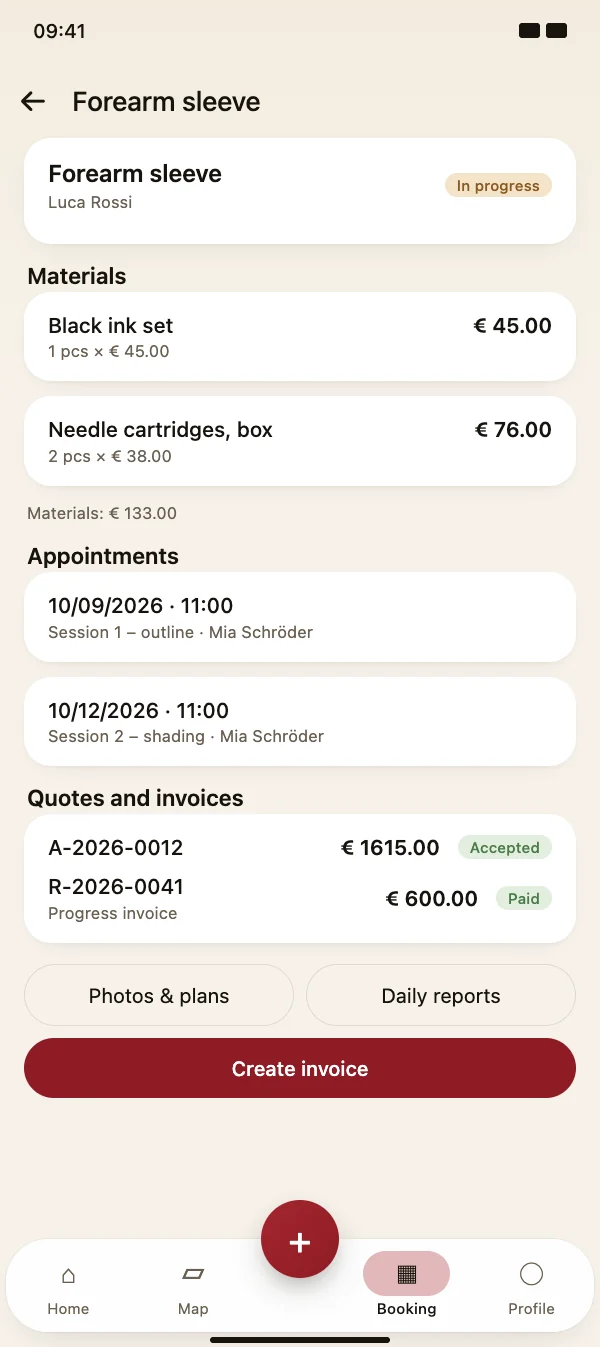
One job, everything in it

Jobs

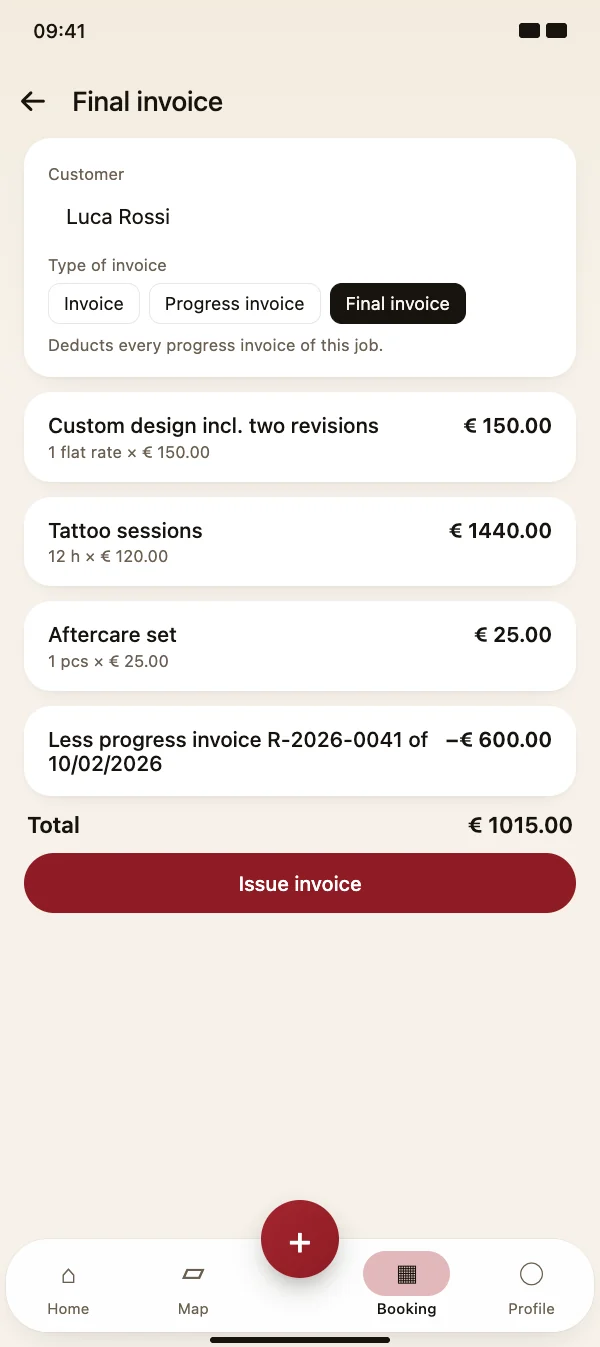
Progress and final invoices

Invoice larger jobs in parts. Every progress invoice is linked to the job, and the final invoice automatically deducts all of them – with number and date.

  • Choose invoice, progress invoice or final invoice
  • Paid progress invoices are visible on the job
  • Warning if the progress invoices exceed the amount
Progress and final invoices

Jobs

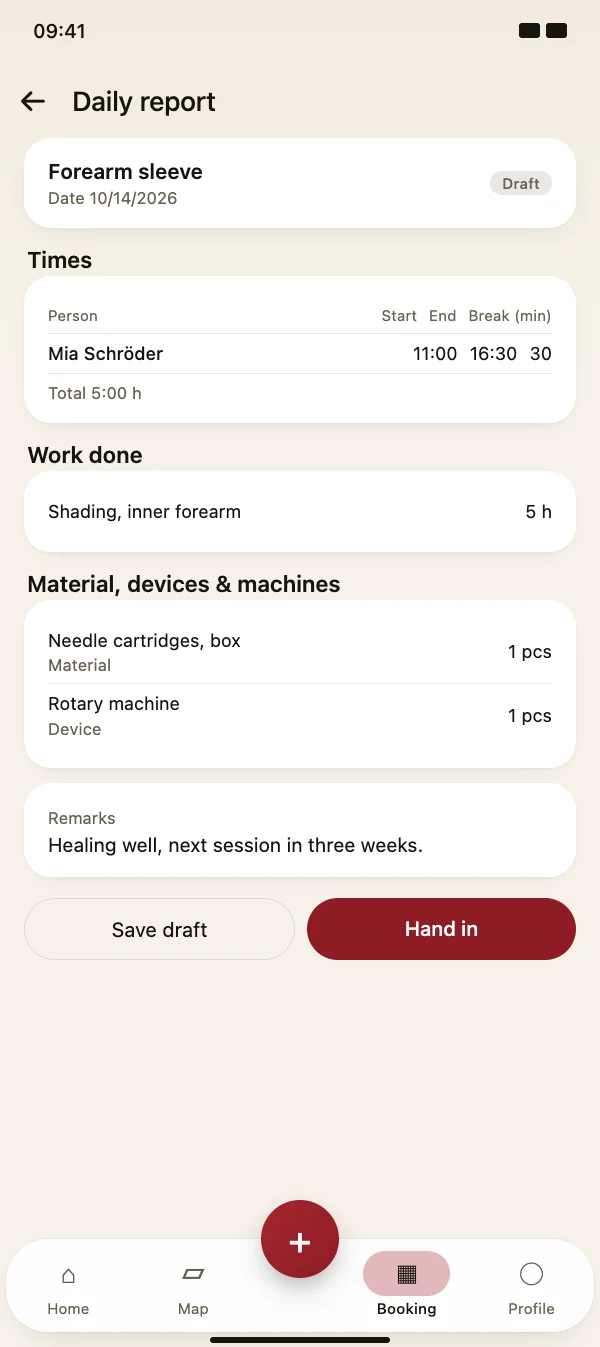
Daily reports from the site

At the end of the day, write down who worked when, what was done and which material, devices and machines were used. Save it as a draft or hand it in.

  • Times with start, end and break per person
  • Work done with quantity and unit
  • Handed-in reports can become time entries
Daily reports from the site

FAQ

Questions about jobs

What does it cost?

Jobs are part of TattooMe Pro.

Can I turn a quote into a job?

Yes. Open an accepted quote and tap “Create job” – customer, address and title are taken over, and the quote stays linked to the job. Quotes and appointments stay when you delete a job.

Where do photos and plans go?

Each job has folders for before, during and after, plus one for plans and documents. You can take photos, pick them from the gallery or add PDFs up to 20 MB.

Do daily reports count as working time?

If you want: handed-in reports create time entries. If your team uses the time clock, you can turn this off – people who have already clocked in are not booked twice.

Start your first job

Download TattooMe for free and open the jobs via the menu in the Booking tab.

Coming soon

Free to download · iOS & Android