← Back to the overview

Quotes

Quotes your customers accept online

Write the quote right after the consultation, send it as a link, and your customer accepts it on their phone with a signature. You get a push, the deposit can be paid online, and the invoice is one tap away.

Coming soon

Free to download · iOS & Android

Write a quote in minutes

How it works

From consultation to accepted quote

Quotes

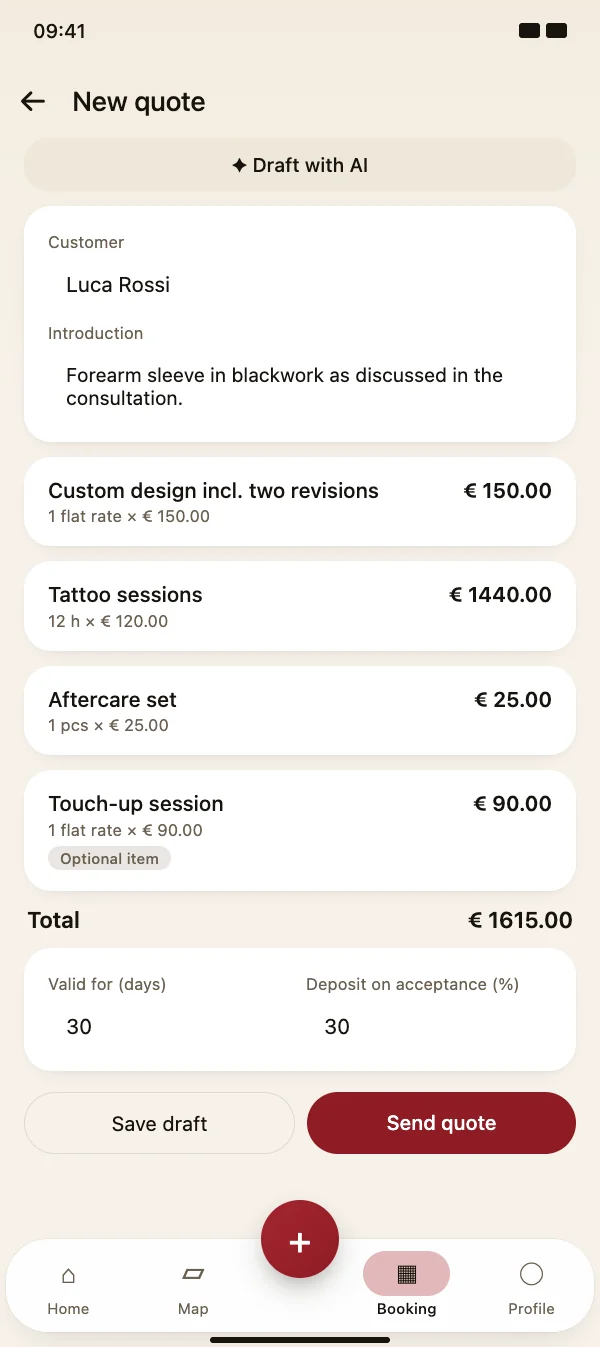
Write a quote in minutes

Add items with quantity, unit and price – by the hour, per square metre, per piece or as a flat rate. Mark extras as optional so your customer can choose them when accepting.

  • Introduction text, validity in days and deposit in percent
  • Save as a draft and finish it later
  • Own number range for quotes, PDF with your business details
Write a quote in minutes

Quotes

Send it – your customer accepts online

When you issue the quote it gets its number and a PDF. Send it by email or share the link: your customer opens it in the browser, picks the optional items, signs and accepts – or declines.

  • No app needed for your customer, works on every phone
  • Push to you when a quote is accepted or declined
  • Quotes past their validity expire automatically
Send it – your customer accepts online

Quotes

Deposit and invoice with one tap

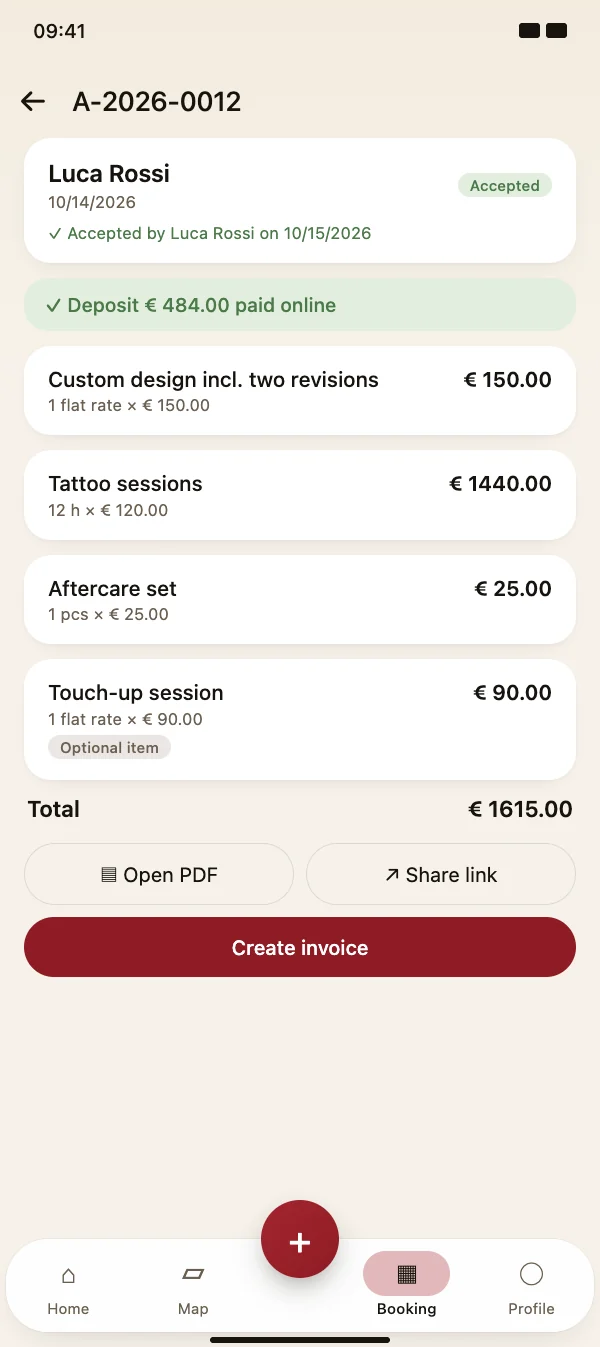
The accepted quote shows who accepted it and when, with the signature in the PDF. With online payments connected, your customer pays the deposit right after accepting. The invoice is created from the accepted items.

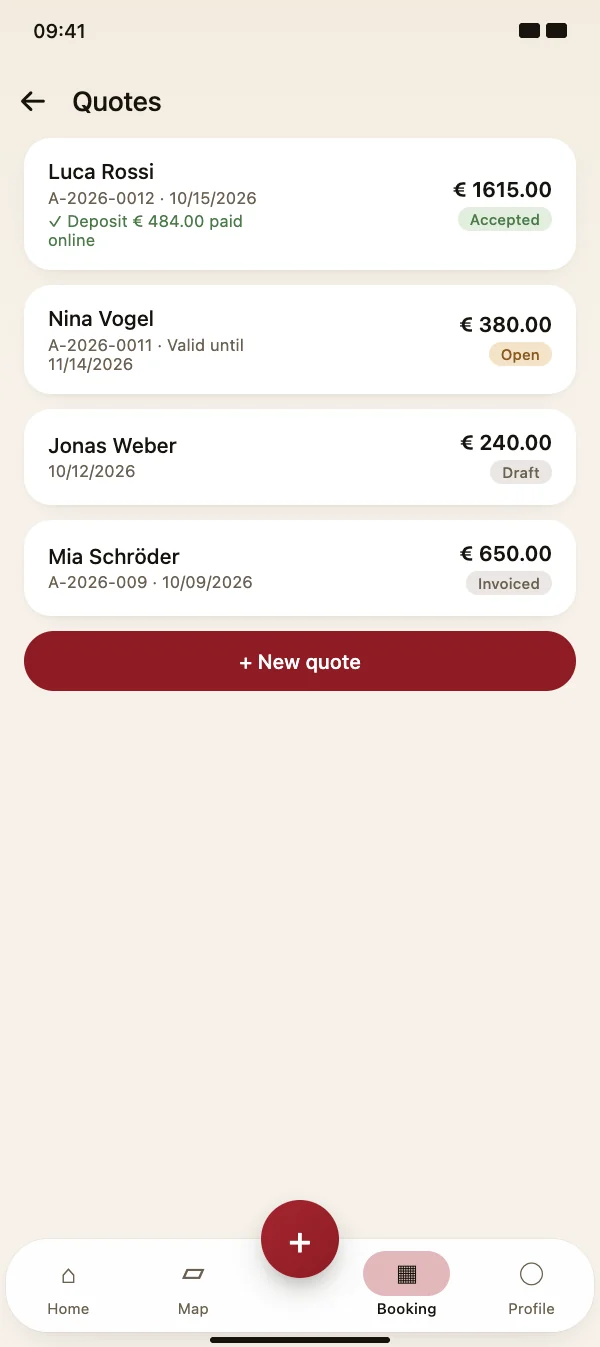
  • Overview of all quotes: draft, open, accepted, invoiced
  • Withdraw a quote that is no longer valid
  • Invoice with exactly the items your customer picked
Deposit and invoice with one tap

FAQ

Questions about quotes

What do quotes cost?

Quotes are included in the TattooMe Pro subscription. There are no extra fees per quote.

Does my customer need the app?

No. Your customer opens the quote via a link in any browser, accepts it with a signature or declines it. The PDF is attached to the email.

Can I change a quote after sending it?

An issued quote has a number and stays unchanged, so both sides know what was offered. Drafts can be edited at any time; if something changes, withdraw the quote and issue a new one.

What happens when the quote expires?

Every quote has a validity date. After that date it is marked as expired and can no longer be accepted via the link.

Send your first quote today

Download TattooMe for free and open your quotes via the menu in the Booking tab.

Coming soon

Free to download · iOS & Android